

Recordings
Record your client meetings into Paradino so that Athena can generate file notes.
Already captured your recording in Zoom, Microsoft Teams, Google Meet, or as a voice memo on your phone? Go straight to Client Summaries and File Notes.
Types of recording
Recordings can be captured directly in Paradino, in your browser. There are three kinds of recording you can make:
- In-person meeting, to record a room conversation using your device's microphone.
- Solo note, for single-speaker notes or a voice memo.
- Browser call, to record a meeting from a browser tab such as Zoom, Teams or Google Meet.
You can record from the platform itself in your browser, or through the Paradino mobile app.
Start a recording
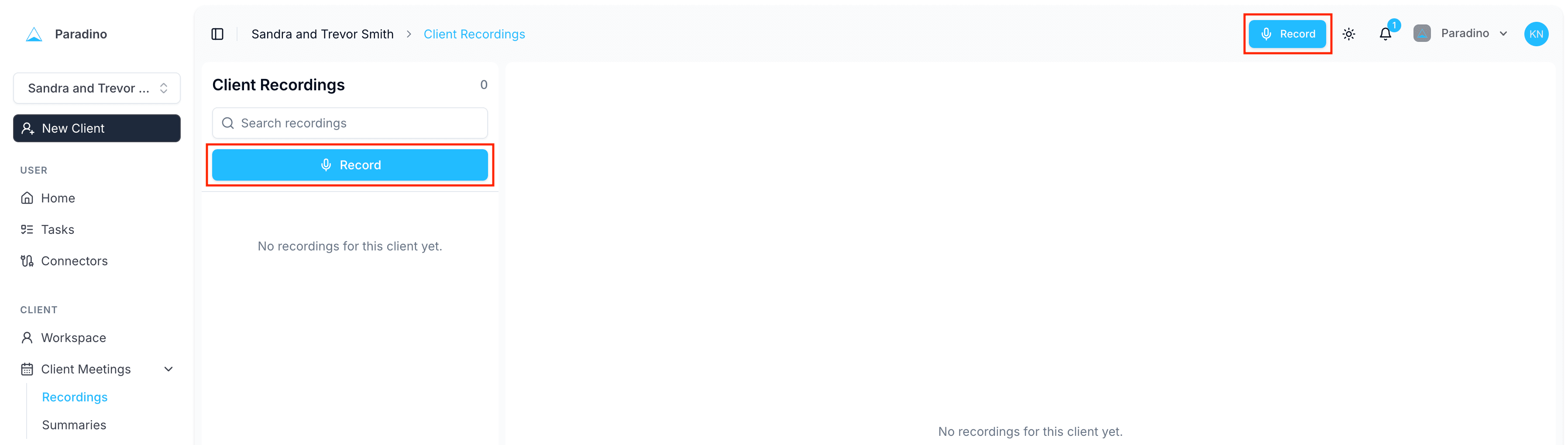
To start a client recording, navigate to Client Meetings > Recordings, then click the blue Record button. (You can also click Record in the top right at any time.)
Select the recording type: in-person meeting, solo note, or browser call.
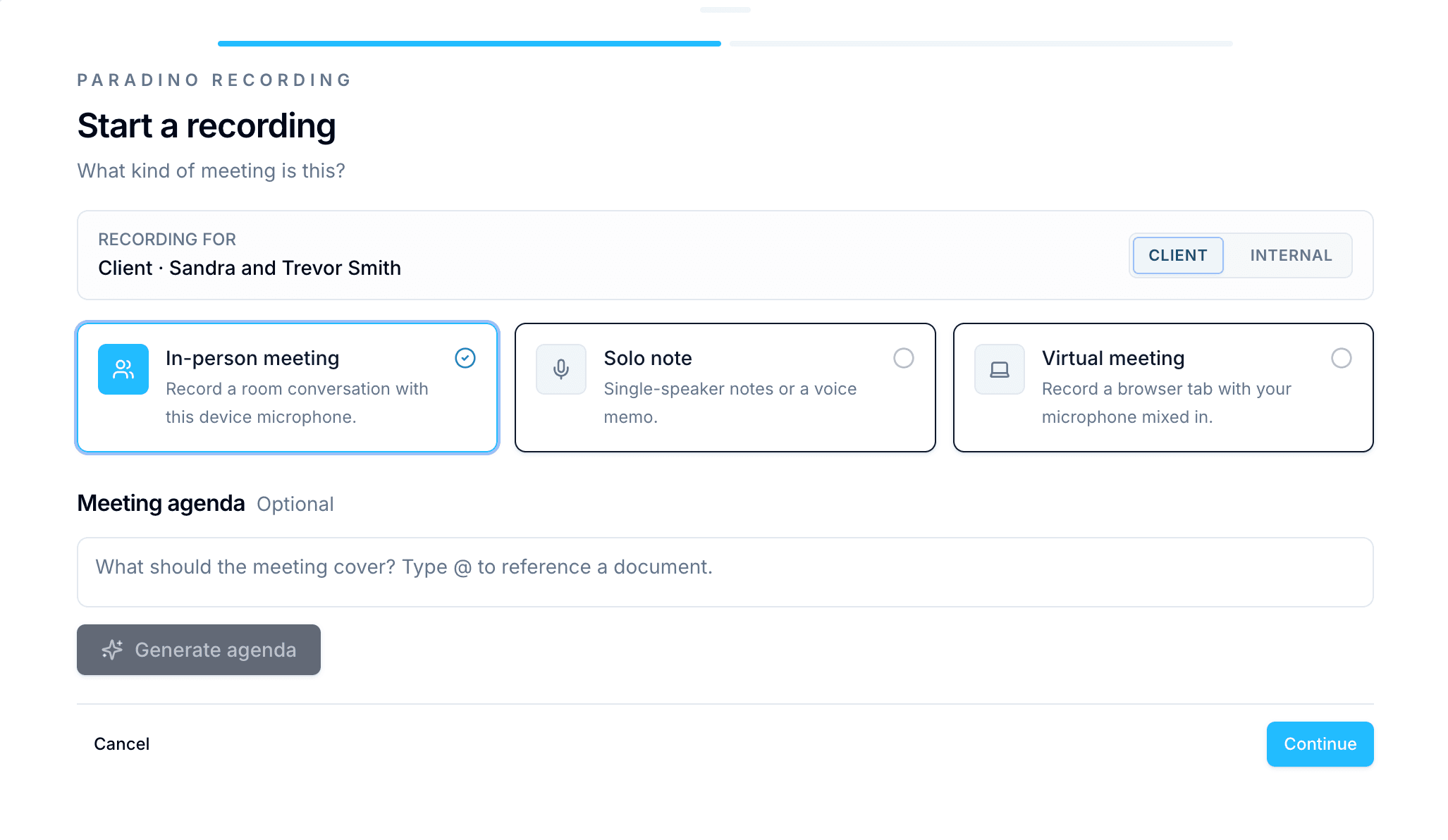
Click Continue and you'll be taken to a microphone check, where a drawer and waveform appear from the bottom of the screen.
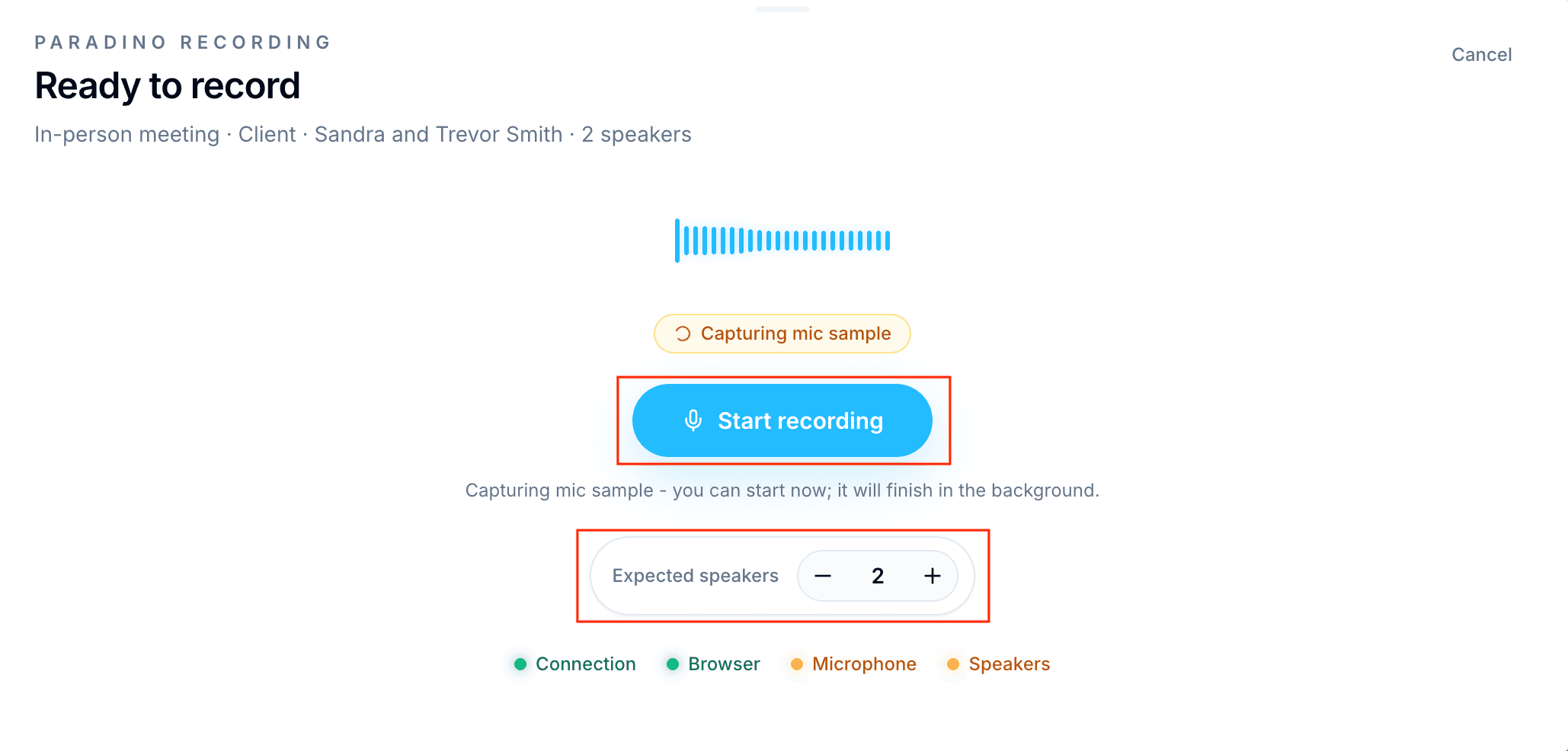
Make sure to set the number of expected speakers before starting your recording.
During the recording, a live transcript is generated as speakers talk. You can edit the transcript and speaker labels after it's been generated, and download the transcript or the recording.
Your recordings can then be used to create your client summaries and file notes.
We strongly recommend checking your settings and running a test before you hold your first client meeting.
Important notes and tips
- Before your first recording, you'll be prompted to allow Paradino to access your microphone. Click accept and the microphone check will appear.
- Paradino has a maximum recording time of 3 hours per meeting.
- In some cases the live transcript may not be available. As long as the waveform is picking up sound and the recording timer is ticking, the recording is still working.
- We don't support browser recording on iPhone or Safari. On iPhone, use our dedicated iPhone app and then upload the file to Paradino. In the browser, please record using Chrome, Edge or Firefox.
- Make sure you have an internet connection when you start recording.
- Don't use a private or incognito browser window when recording. This may prevent Paradino from storing your audio as you record, and you'll see an alert telling you that Paradino cannot record.