

Initial Set up
Just signed up to Paradino and not sure where to begin? We've set up this comprehensive guide to help you get set up for success in no time.
To supplement this guide, we run a weekly webinar series to walk you through the initial set up and help you get started. Register to attend here.
Welcome, and thank you for signing up to Paradino. You're only a few steps away from automating your advice processes, so let's start eliminating the countless hours spent writing up notes and documents, and get you back to doing what you do best: serving and advising clients.
What you can do in Paradino
Take a look at what you can do within Paradino.

To make sure Paradino gives you the best results, there are a couple of things to set up in your account first.
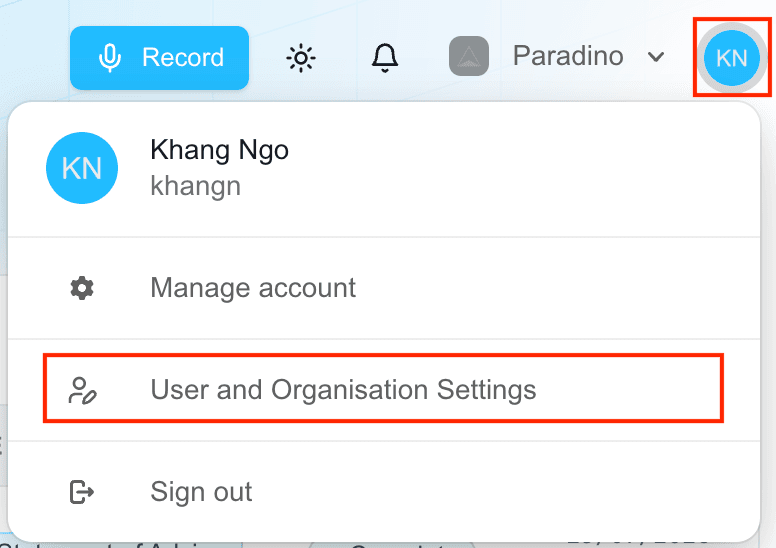
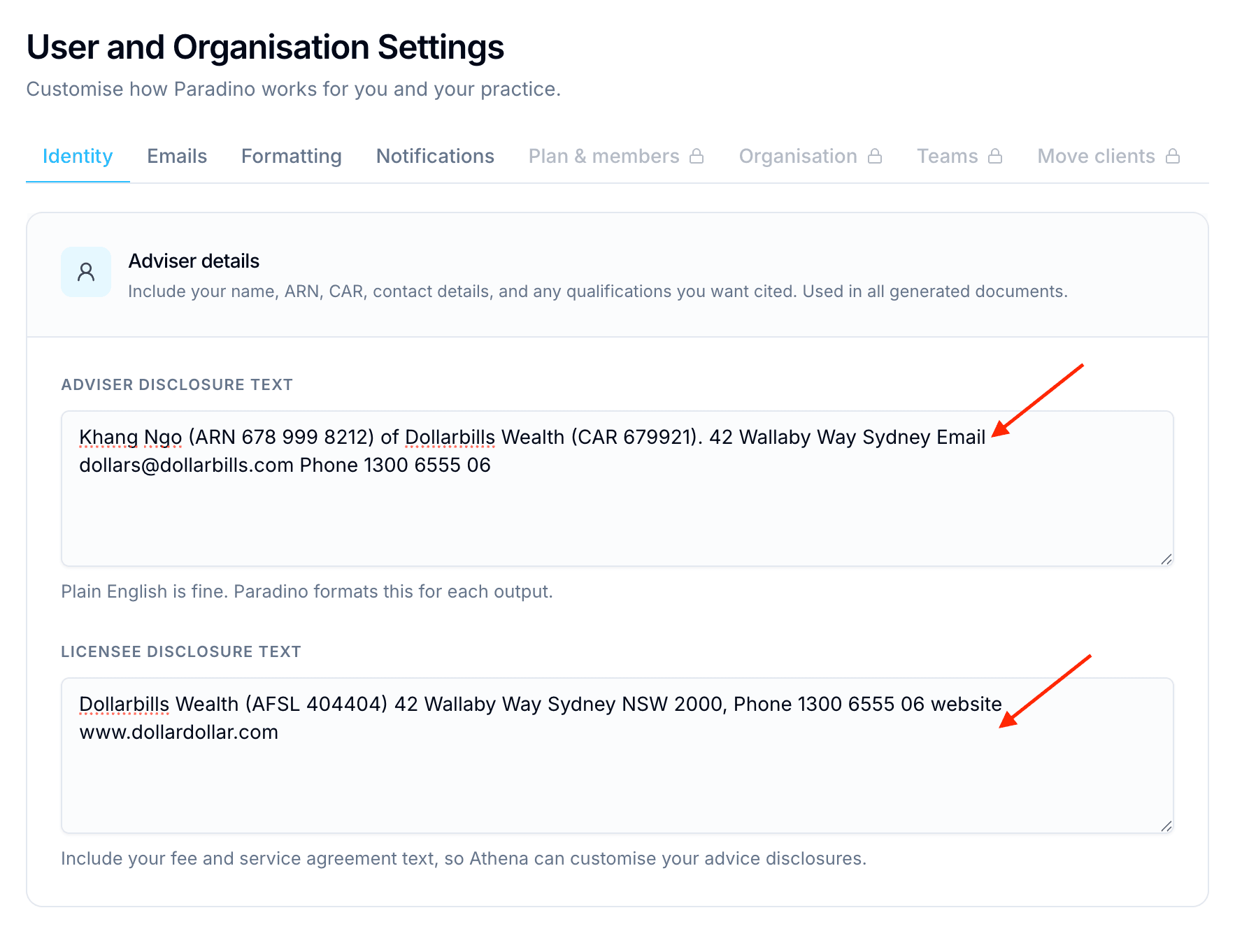
Set up your adviser details
Set up your personal adviser details in Settings. (We'll walk you through the other settings at a later stage.) You can use plain English to list out your details in the text fields, as shown below.
Upload your practice documents
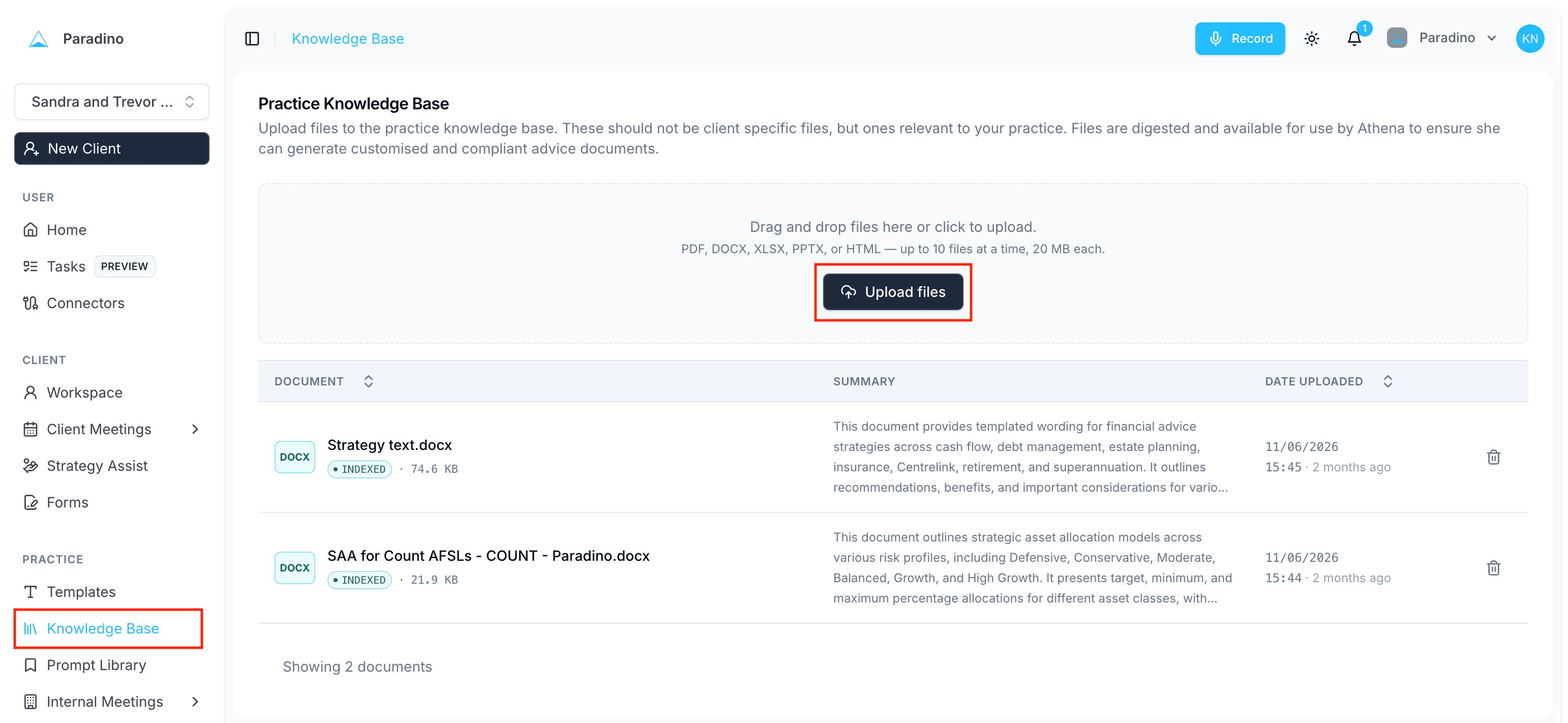
Paradino's AI agent, Athena, is built to digest and interpret your advice guides, strategy guides and standards, then apply them to the summaries and documents it generates. For Athena to give you the most accurate results, it's important that your practice's documents are uploaded into the Practice Knowledge Base. Examples include licensee standards for RoAs and SoAs, model portfolios, standardised recommended text, risk profiles, and approved products.
Once this has been set up, you'll be in a great position to start recording meetings, generating summaries, and creating advice documents.
Using Microsoft 365, ProductRex, RetireMap, intelliflo office or Worksorted? Follow the connector guide for Microsoft 365, ProductRex, RetireMap, intelliflo office or Worksorted to integrate these platforms with Paradino.